
Tuesday, 27 May 2014

Wednesday, 30 April 2014


Monday, 28 April 2014

Sunday, 6 April 2014
Pre-Project 8: Clip Mask (Pixlr)

Step 2: Use the marquee tool to grab the uploaded image, then drag it on the colored background.
Step 3: Add text.
Step 4: Rasterize the layer.
Step 5: Select the wand tool.
Step 6: Un-click the Contiguous option located on the top bar.
Step 7: Click the text, then delete the text layer.
Step 8: Add Layer Mask.
Step 9: DONE
Thursday, 27 March 2014

Pre-Project 6: Movie Posters (What we like about these movie posters)
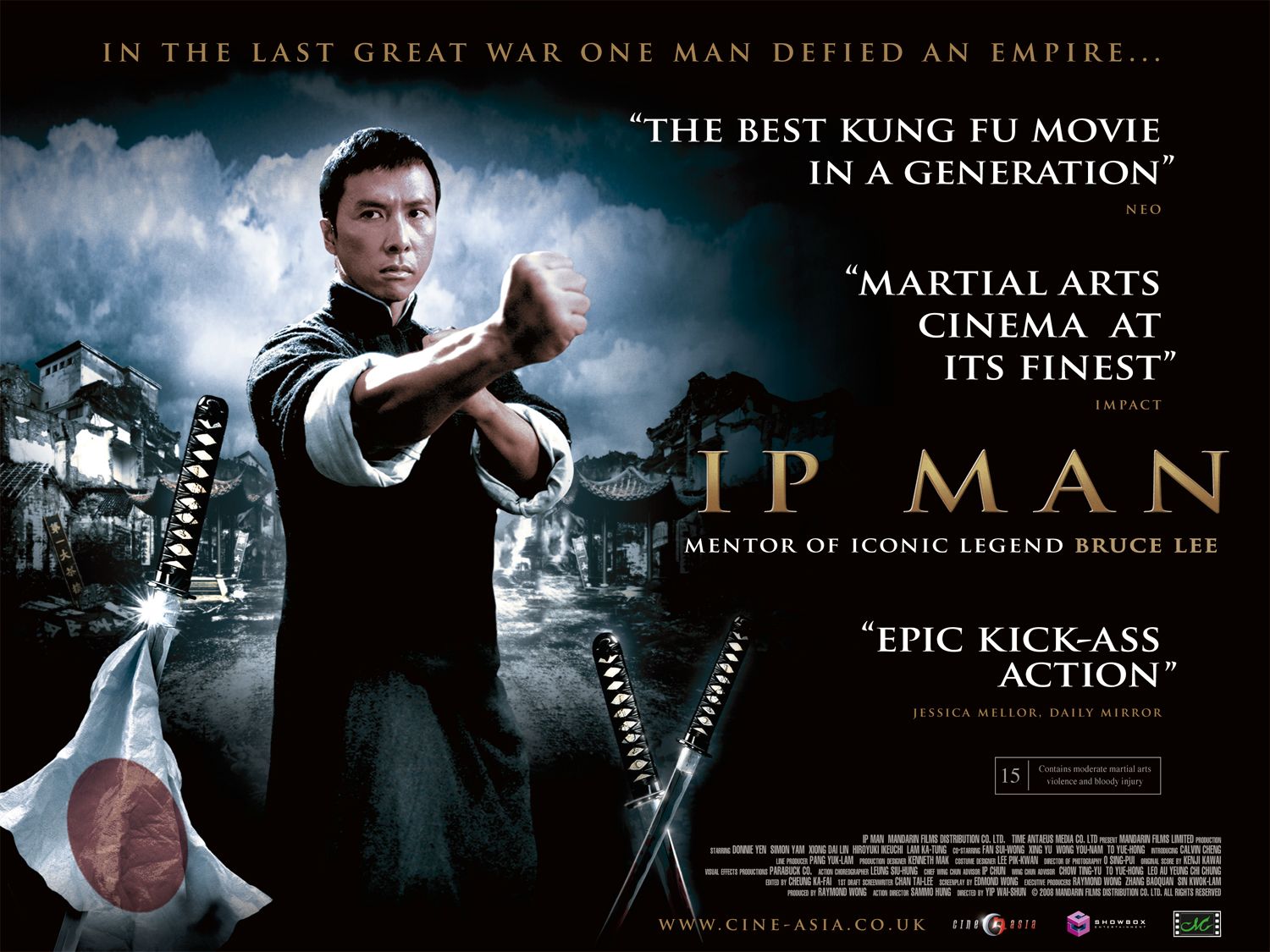
- I like this poster because this movie is based on a martial artist who goes against the japanese empire to be free, and it depicts that scene by showing the japanese flag falling on the bottom left. (When a flag falls, it shows that, that country/nation is falling)
- I like martial arts so naturally I like almost any martial art movie
- This movie takes place in China, and I like how the background shows a little bit of Chinese architect. (i.e. the building on the right)
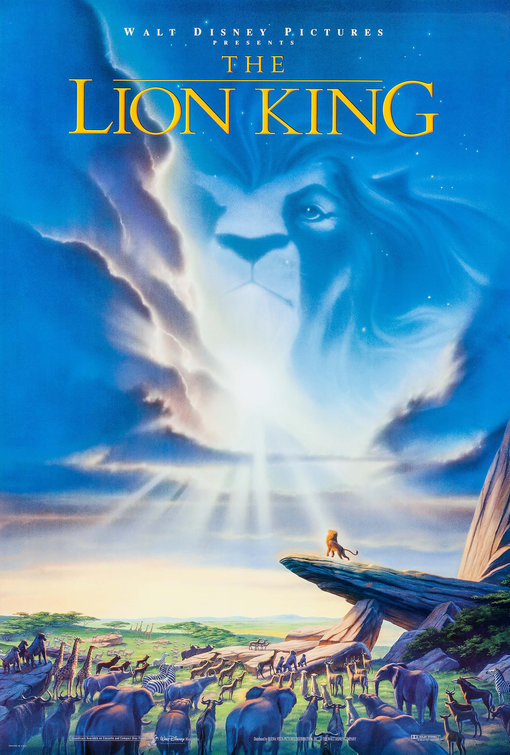
- I like this poster because I really like the Lion King
- I like how Mufasa's silhouette merges with the clouds and stars. (If you watch the movie then you'll know that there is a scene where Mufasa says that he will always be watching Simba from the stars.)\
- I like how the rays of the sun show a gradient light that almost envelops Simba on the Pride Rock.

- I like how you can see the pyramids in the background. (When I was small, I was intrigued by the egyptian culture)
- I like how the background of the pyramids blends with the dust/dirt that is surrounding the bottom portion of the poster.
- Optimus Prime and BumbleBee.......beast....
Sunday, 23 March 2014
Project 17: Business Card (Pixlr)
Business Card:

-I believe I did a good job putting the pictures together, and putting a quote to show what my business can do.
What would I do differently?
-I think I would try blending different pictures together next time.
Subscribe to:
Posts (Atom)